Led the redesign of Cogni’s onboarding and budgeting experience, reducing friction and improving completion by simplifying flows, introducing clear spending analytics, and establishing a consistent visual system across charts, categories, and progress indicators to help users better understand and control their finances.
Impact
+24% Onboarding completion
-38% Fewer errors
47% Faster onboarding
Role
Product Designer
Team
2 Product Managers
4 Engineers
2 Designers
Timeline
Feb 2023 - May 2023
Tools
Figma, Figjam, Google Docs, Slack, and etc.
About the service
Cogni is an FDIC-insured digital banking platform integrating traditional financial accounts with Web3 self-custody wallets.
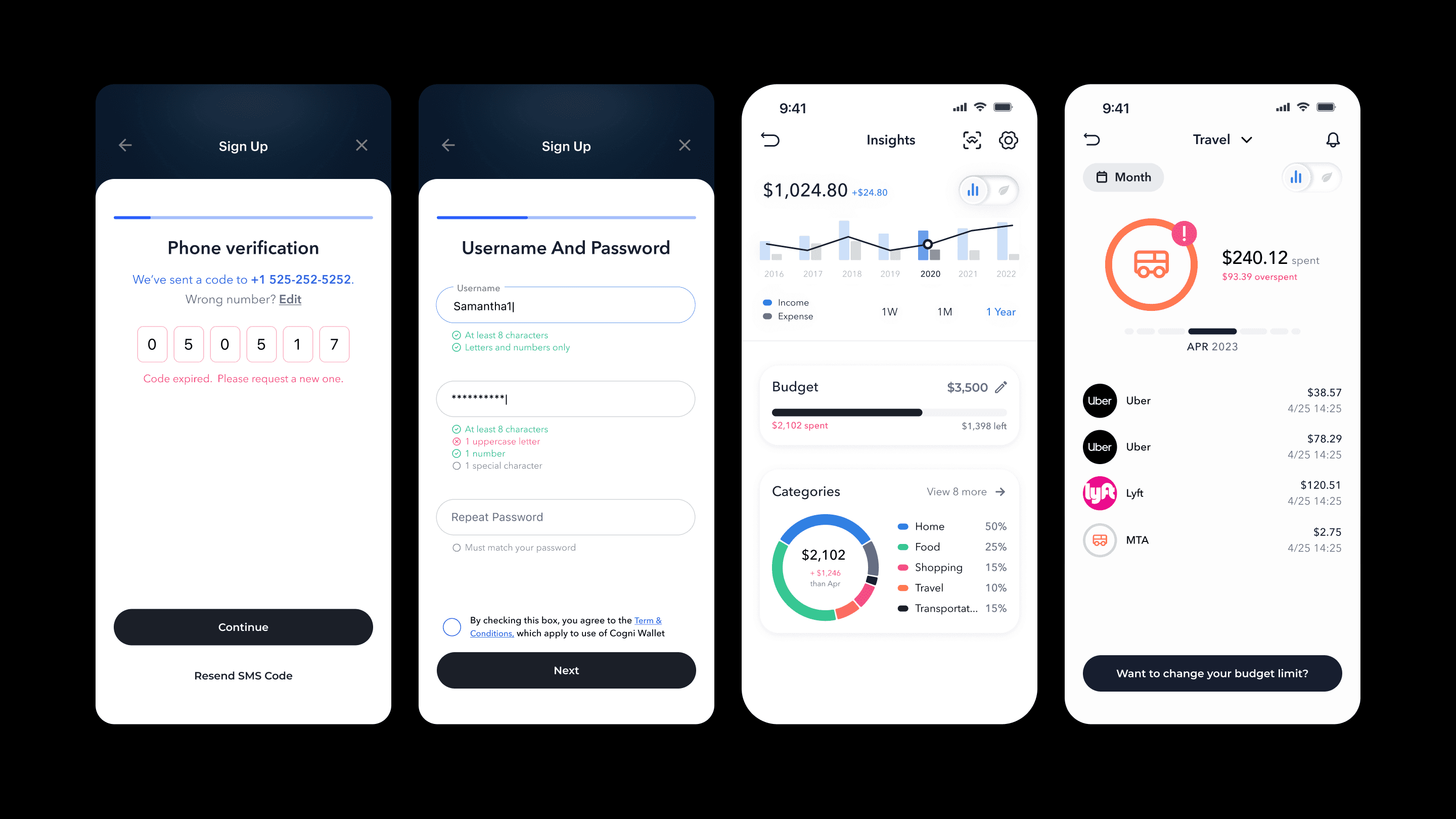
Error recovery and clarity in high-risk flows
Stabilizing Onboarding & Building Trust
The Problem
Unclear error and validation states caused users to get stuck or drop off during onboarding, making the experience feel long, broken, and unpredictable.
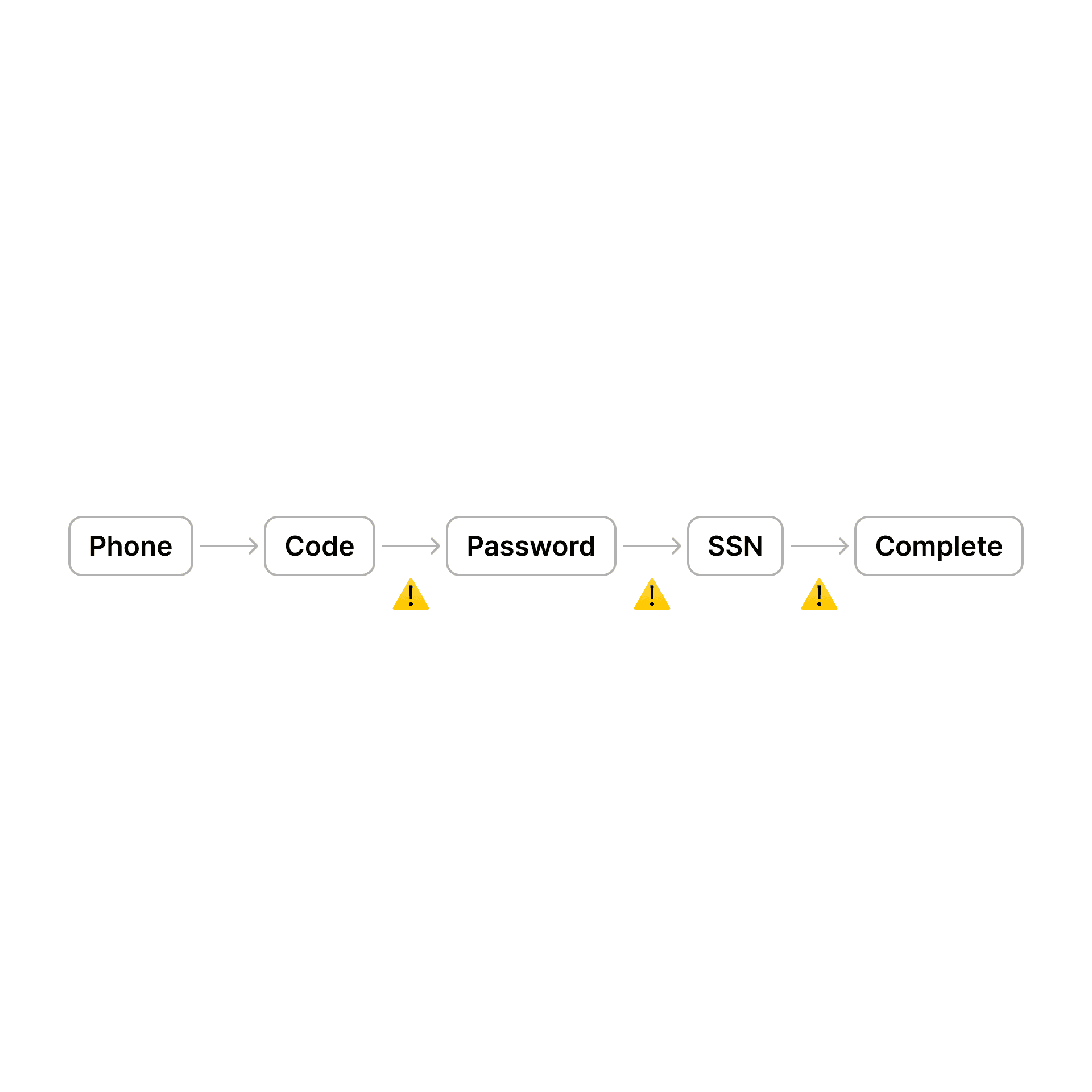
Phone verification error loop
<Before > What was broken
Same generic error message surfaced repeatedly
No indication of why verification failed
No guidance on what to do next (wait, retry, change number, contact support)
System behavior felt like a bug, not a security measure
<After> Key changes
Differentiated error messages based on failure type
(invalid code vs. too many attempts)
Added countdown + explanation when retries were temporarily blocked
Introduced a clear recovery path (wait, resend later, or edit number)
Adjusted tone to feel supportive, not accusatory
Impact
Reduced repeated verification attempts
Improved onboarding completion confidence
Fewer user complaints around “verification not working”
SSN submission loading freeze
<Before> What was broken
After submitting SSN, the screen appeared unresponsive
No loading indicator, progress state, or time expectation
Users attempted to refresh, resubmit, or exit the flow
<After> Key changes
Introduced a clear loading state with contextual copy
Explained why verification might take longer at this step
Prevented duplicate submissions during processing
Reinforced security messaging to reassure users their data was safe
Impact
Users understood the system was working, not frozen
Reduced premature exits and resubmissions
Increased confidence during sensitive data entry
Password Setup — Validation & Error Clarity
<Before> What was broken
Password requirements were not visible upfront
Errors appeared only after submission
Messages were vague and didn’t explain what needed fixing
<After> Key changes
Surfaced password requirements before input
Added real-time validation as users typed
Used specific, actionable error messages
Matched tone to feel guiding rather than corrective
Impact
Fewer failed attempts during password setup
Faster onboarding completion
Reduced user frustration caused by trial-and-error
Turning financial complexity into daily habits
Designing the Core Budgeting Experience
The Problem
Budgeting failed not because users lacked motivation, but because fragmented data and high manual effort made the experience too complex to sustain.
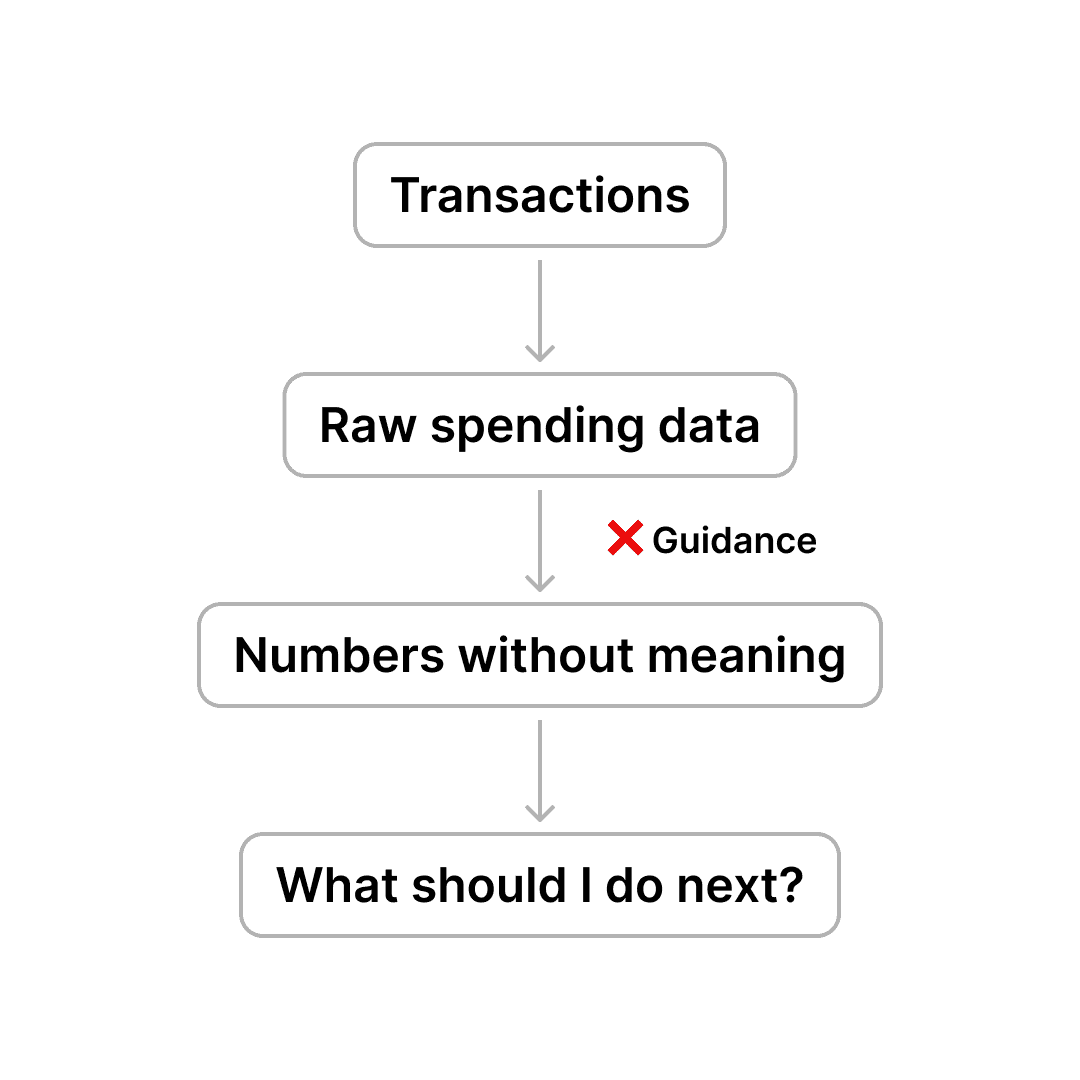
Budget Overview
A quick snapshot to understand spending at a glance
Users needed a fast way to understand whether they were on track — without digging into transactions.
This overview prioritizes clarity over detail, showing spending vs. income and key categories at a glance.
Once users understood their spending patterns, the experience shifted toward helping them actively manage their money.
Impact
Users found room details easier to understand
Reduced confusion around ARC, utilities, and contract rules
Improved confidence → fewer pre-booking drop-offs
Hosts received fewer repetitive questions
Budget Planning — Progressive Control
Start simple, add control when ready
General Budget Plan
Low setup · High-level control
Budgeting starts with a simple, high-level plan to reduce setup friction and ease users into the habit.
This lowers the barrier to entry and helps users ease into budgeting without feeling overwhelmed.
Categorized Budget Plan
More setup · Deeper visibility
Category-based budgets provide more control for users who want deeper visibility, without making budgeting feel restrictive.
Flexible limits and visual progress indicators helped users stay aware without feeling restricte
Results & Impact
Reached 1M MAU and drove 20× traffic growth post-launch
Increased iOS conversion from 4.3% → 20.3%
Generated ₩1B+ in revenue within weeks (525 bookings)
Achieved 11.6K installs shortly after launch
Future Considerations
Smart insights (AI-powered recommendations, overspend prediction)
Shared budgets for couples/families
Deeper integration with savings goals
Personalized nudges based on monthly habits